
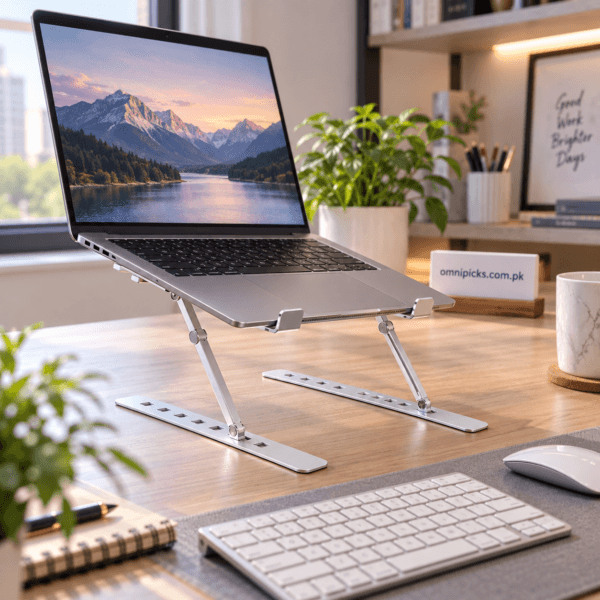
Aluminum Laptop Stand with 6 Adjustable Viewing Angles
₨ 999
Create a more flexible desk setup with this aluminum laptop stand. Six adjustable viewing angles let you choose a practical position for work, study, video calls or everyday browsing. The elevated, open design keeps the underside of the laptop unobstructed, while silicone grip pads and triangular supports help hold the device steadily. When your work is finished, the stand folds into a compact shape for easier storage or carrying. Use it on a stable, level surface and pair it with an external keyboard and mouse when raising the laptop for longer sessions.
Aluminum Laptop Stand for Flexible Desk Setup
This aluminum laptop stand raises a laptop above the desk and provides six adjustable viewing angles for work, study and everyday computer use. Its elevated, open design leaves the underside of the laptop unobstructed, while silicone grip pads and triangular supports help keep the device steady. The stand also folds into a compact shape, making it easier to store between sessions or carry with your laptop when moving between home, office, classroom or shared workspaces.
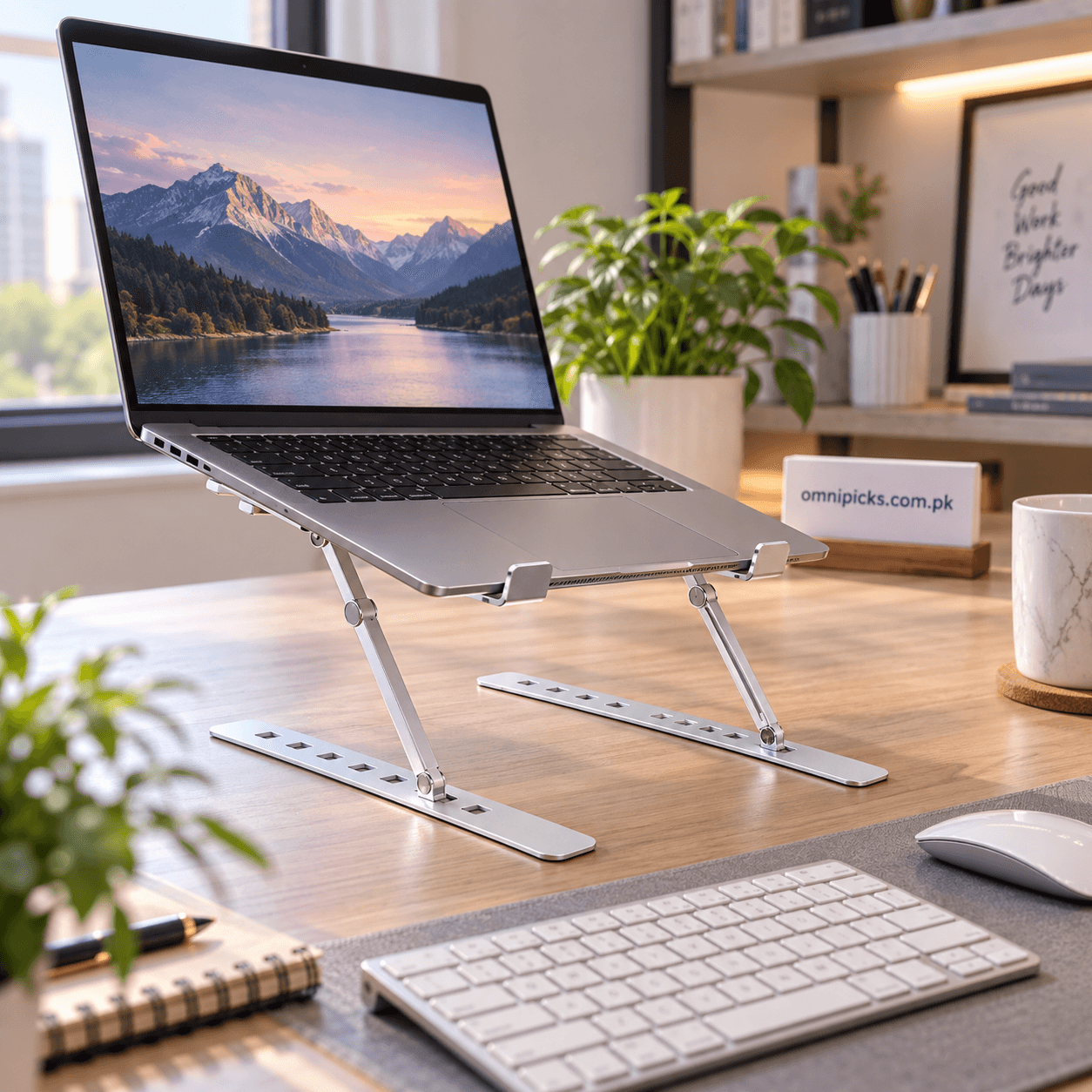
Aluminum Laptop Stand with Six Adjustable Viewing Angles
The support arms can be placed in six available angle positions. This gives you a straightforward way to change the height and tilt of the screen according to the desk, chair and task. A lower setting can suit casual browsing, while a raised position can help bring the display closer to eye level during focused work or video calls. Always check that both sides are placed in matching positions before setting the laptop on the stand.
Stable Support for Everyday Work
Silicone grip pads are positioned where the laptop meets the stand, helping reduce unwanted movement and protecting the contact points during normal use. The two front retainers help prevent the laptop from sliding forward when the platform is angled. Triangular side supports create a stable working shape once the stand is opened and adjusted correctly.
- Aluminum construction confirmed by the existing product information
- Six positions for adjusting the viewing angle
- Silicone grip pads at key laptop contact points
- Front retainers that support the lower edge of the device
- Triangular supports for a steady desktop setup
- Open underside that avoids covering the laptop base
- Foldable form for convenient storage and carrying
Open Design and Practical Desk Space
Raising the laptop creates room below and around the device, which can make a desk feel more organised. The open platform does not form a solid barrier beneath the computer, so the laptop’s underside remains exposed rather than enclosed. This layout is useful when you want to position an external keyboard in front of the screen and keep a mouse, notebook or other daily items within reach.
Explore more practical devices in our Electronics & Gadgets category, or browse the complete OmniPicks product range.
How to Set Up the Aluminum Laptop Stand
- Place the folded stand on a clean, stable and level desk.
- Open both base rails and support arms evenly.
- Select the same adjustment position on the left and right sides.
- Press each support securely into its chosen slot before adding the laptop.
- Set the laptop down gently, with its lower edge resting behind the front retainers.
- Check that all contact points are stable before using the keyboard or screen.
For longer sessions at a raised height, an external keyboard and mouse can provide a more practical typing position. Adjust the screen angle, chair and desk arrangement together rather than relying on the stand alone to determine your posture. For broader workstation advice, review the Mayo Clinic office ergonomics guide.
Compatibility Considerations
The product images confirm use with a laptop computer, but no specific screen size, device weight or model range is stated. Before regular use, confirm that your laptop rests securely on both support rails, that the front retainers hold its lower edge, and that the device does not overhang in a way that makes the setup unstable. Avoid using the stand with a device that cannot sit evenly across the contact points.
Folding, Storage and Travel
When the aluminum laptop stand is no longer needed, remove the laptop first and allow any recently used device to cool. Release the supports carefully, fold the frame flat and store it where the adjustment points will not be forced or bent. Its compact folded shape makes it suitable for placing in a work bag alongside a laptop and other accessories. Keep the stand separated from items that could scratch its surfaces during transport.
Care and Safe Use
Wipe the stand with a soft, dry cloth and keep the joints and adjustment slots free of dust or debris. Do not adjust the frame while a laptop is resting on it. Use the stand only on a firm, level surface, and check that both sides are aligned before every session. Keep liquids away from the laptop and stand, and stop using the product if any support or retaining point becomes loose or damaged. This aluminum laptop stand is suitable for students, office users, remote workers and anyone who wants a portable way to raise a laptop during routine desk use.
Using an Aluminum Laptop Stand in Pakistan
For students, remote workers and office users in Pakistan, this aluminum laptop stand offers a portable way to organise study and work desks. Its folding design is convenient when moving between home, university, shared workspaces and the office. Order online from OmniPicks with delivery options available across Pakistan.
No reviews yet. Be the first verified buyer to share your experience.
Leave a verified review
Only customers with a completed order for this product can submit a review. Your review will be checked before it is published.
Related products
-

Bolt Pro 2 TWS Wireless Earbuds with Touch Controls
₨ 2,699New arrivalAdd to cart -
20000mAh Transparent Power Bank – Bolt B106 Dual 2.4A Output
₨ 3,199New arrivalAdd to cart -
3-Piece LED Tap Light Set with Remote Control and Timer
₨ 1,279New arrivalAdd to cart -
Silicone Iron Pad with Raised Grip Points for Easy Placement
₨ 399New arrivalAdd to cart